
Audit Overview
Your store's untapped revenue potential — and how to unlock it
Why We Created This Audit
We analyzed https://alexevenings.com the same way we've audited 350+ e-commerce stores — looking for the specific gaps between your current experience and what top-performing Fashion & Apparel stores deliver. Every finding in this report is a revenue opportunity backed by industry data and competitive benchmarks.
What We Analyzed
- UX & Conversion Design14 findings
- Performance & Speedvs 4 competitors
- Technology & App StackPlatform + 12 apps
- Industry BenchmarksFashion & Apparel
Pages Analyzed
- Homepage2 findings
- Collection Pages2 findings
- Product Pages (PDP)6 findings
- Cart & Checkout4 findings
 This audit was prepared by Growisto — a CRO-led Website development team behind 167% conversion growth for Atomberg, 46% CR lift for TyresNmore, and 350+ e-commerce projects.
UX & Conversion Findings
Page-by-page analysis with visual comparisons against top Fashion & Apparel stores
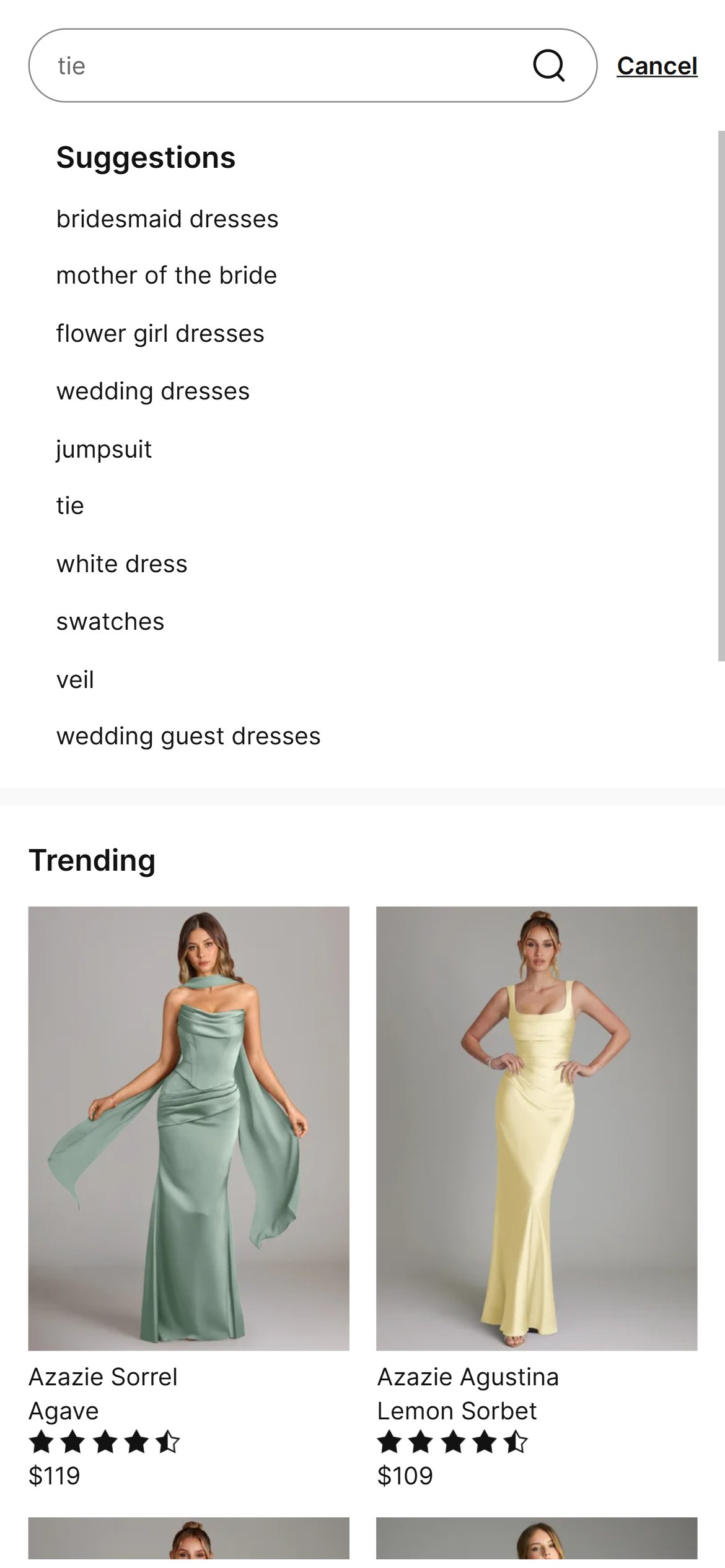
- Submitting a search does return matching products, but the search field gives no live suggestions as the shopper types — entering a common word like "dress" produces no dropdown of product names, thumbnails, or categories until the full search is run.
- With dozens of dress, blouse, and separates styles in the catalog, shoppers have no fast way to jump straight to a style without browsing category by category.
- The search icon and field are present and easy to find — the gap is purely in the missing live-suggestion behavior once a shopper starts typing.
- Add a predictive/autocomplete search experience that surfaces matching product names, thumbnails, and prices as the shopper types.
- Surface trending or popular search terms (e.g. "mother of the bride", "petite") by default so the empty search state isn't a dead end.
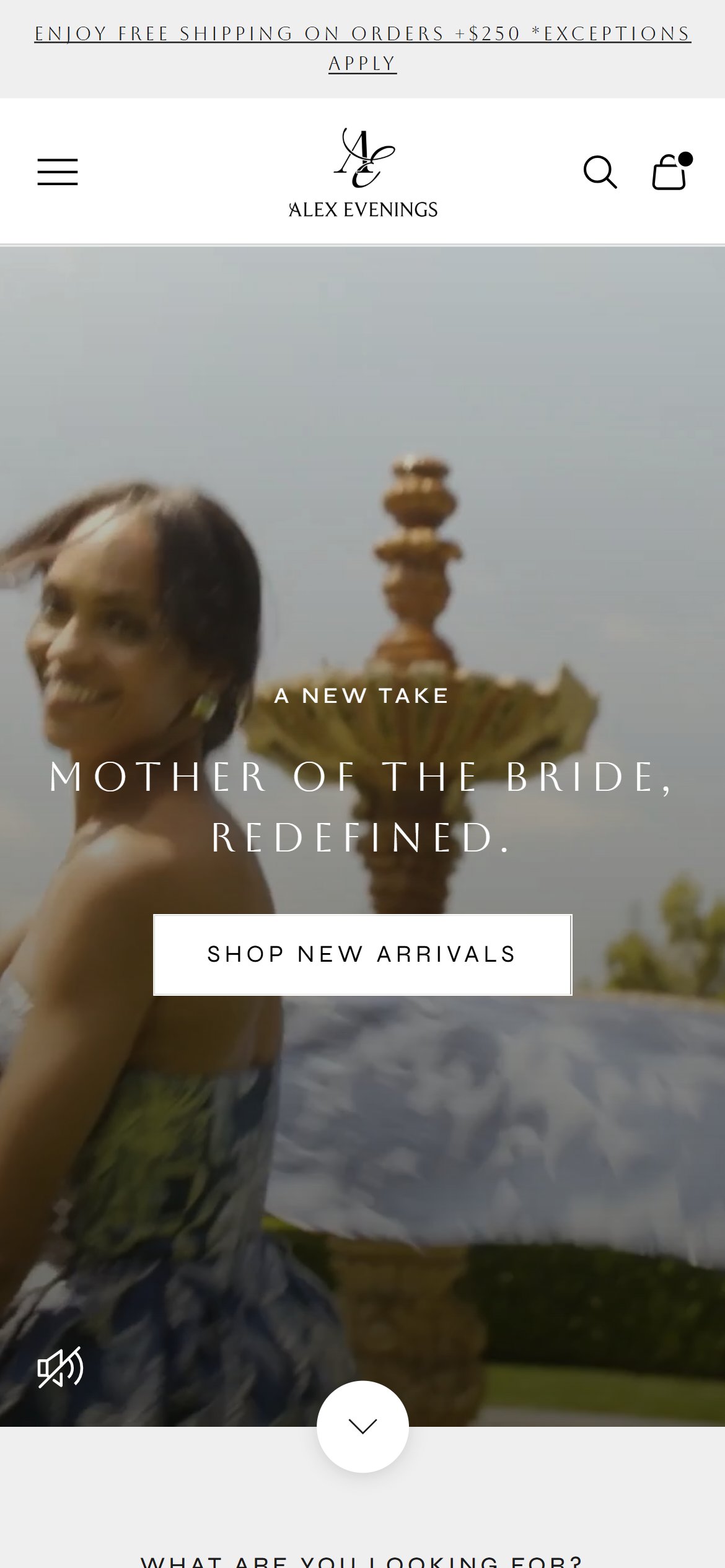
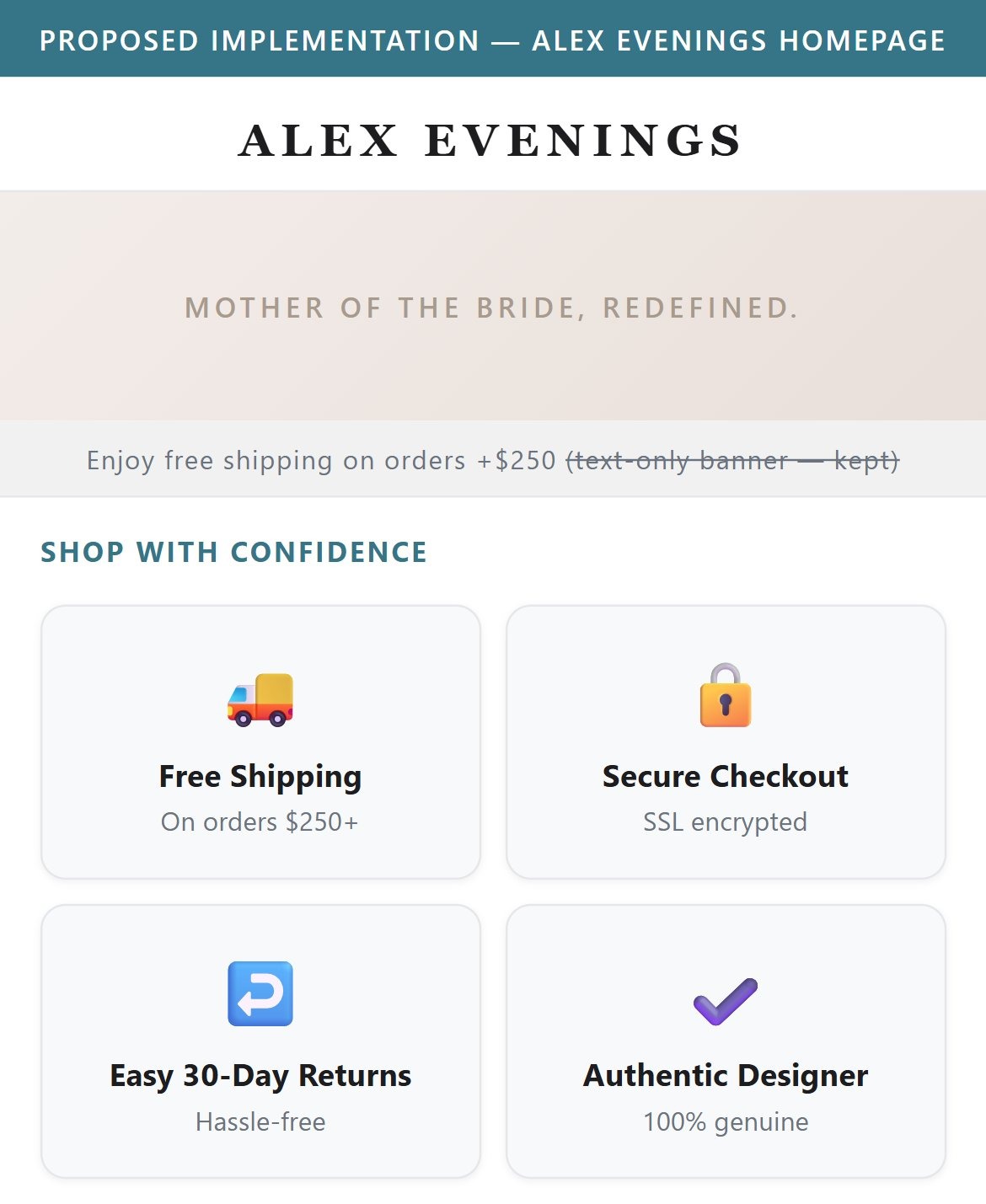
- The only trust signal within the first two scrolls is a thin, plain-text announcement strip reading "Enjoy free shipping on orders +$250".
- There is no row of iconographic badges (secure checkout, easy returns, made-in-the-USA, satisfaction guarantee) anywhere near the top of the homepage.
- For a first-time visitor evaluating an unfamiliar occasion-wear brand, a single shipping line does less to build confidence than a set of clear visual trust marks.
- Add a compact icon row (secure checkout, easy returns, free shipping threshold) directly below the header or hero section.
- Keep the existing shipping banner but pair it with visual iconography rather than text alone.
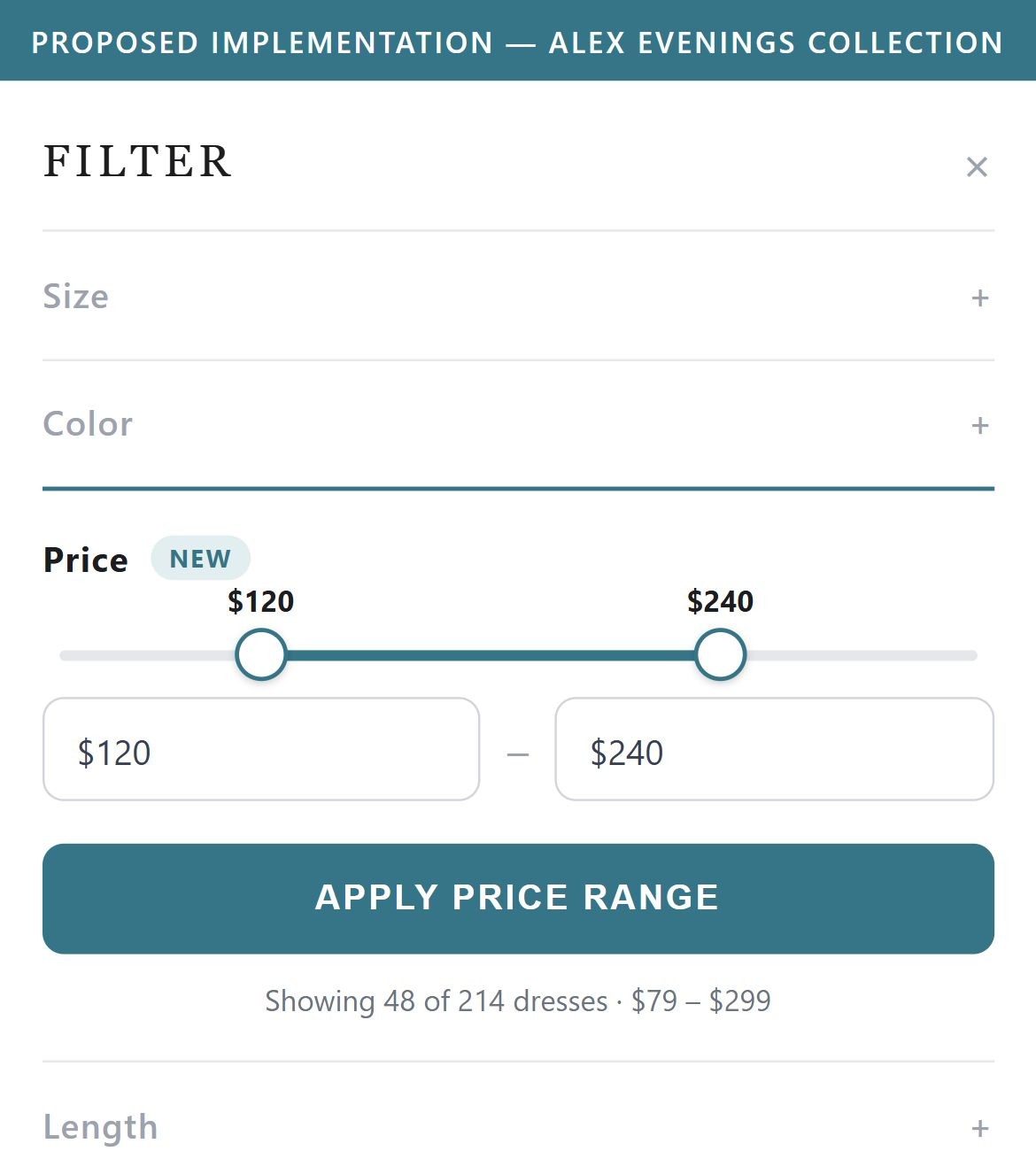
- Opening the full Filters drawer on New Arrivals shows Product Type, Color, Size, Sleeve Length, Availability, and Fabric — but no Price option anywhere in the panel.
- With dress prices spanning a wide range, shoppers shopping to a budget (e.g. for a wedding-party outfit) have no way to narrow the grid before scrolling through dozens of styles.
- Every other filter facet uses the same drawer pattern, so a price slider or min/max fields would fit the existing UI without a redesign.
- Add a price range slider or min/max input as an additional facet inside the existing Filters drawer.
- Default to the current catalog's price span so the slider is immediately useful without configuration.
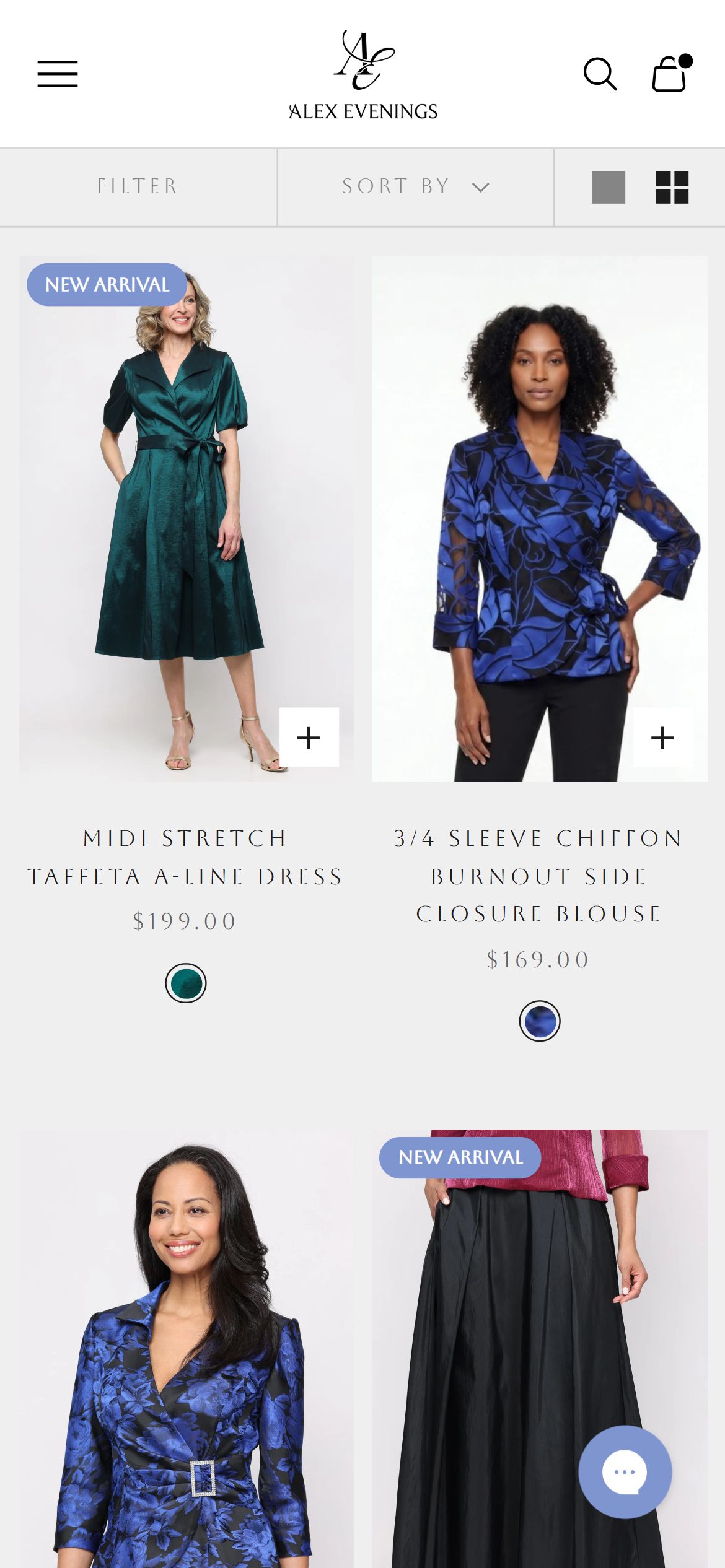
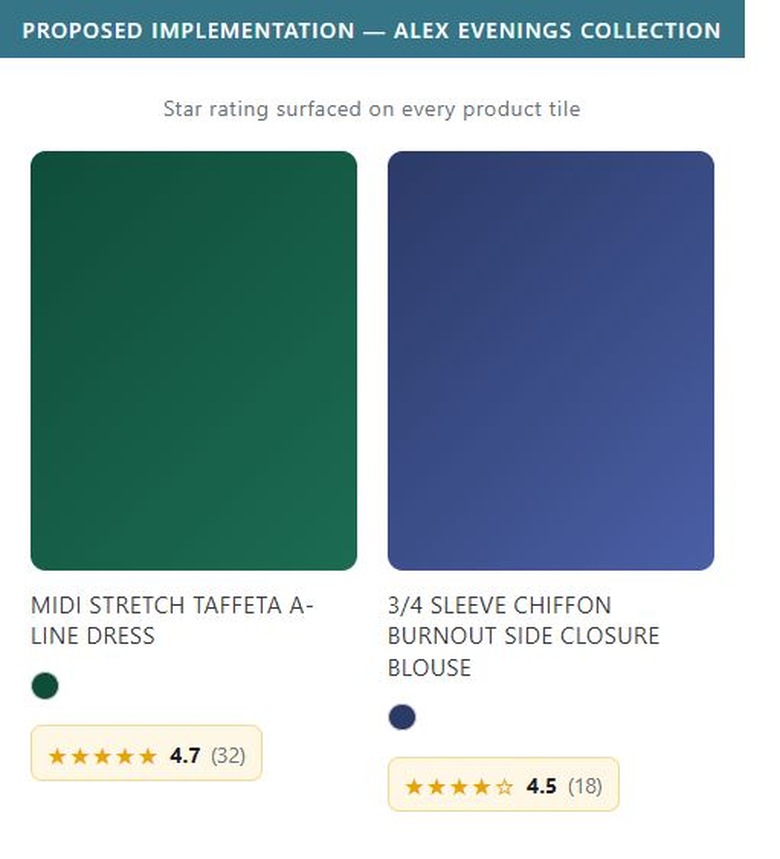
- Product cards on New Arrivals show a title, price, color swatch, and a quick-add "+" icon — a reasonably complete card — but no star rating or review count appears on any tile.
- A star rating badge does appear occasionally on the homepage bestseller carousel, so the review data exists in the platform; it just isn't surfaced on the main browse grid where most shopping happens.
- Without any rating visible, a shopper scanning dozens of similar-looking gowns has no quick social-proof signal to help decide which one to click into.
- Extend the star-rating badge already used on the homepage carousel to every product card in collection grids.
- Prioritize showing the rating for products that already have reviews, so the browse grid reflects the same trust signal shoppers see once they reach a PDP.
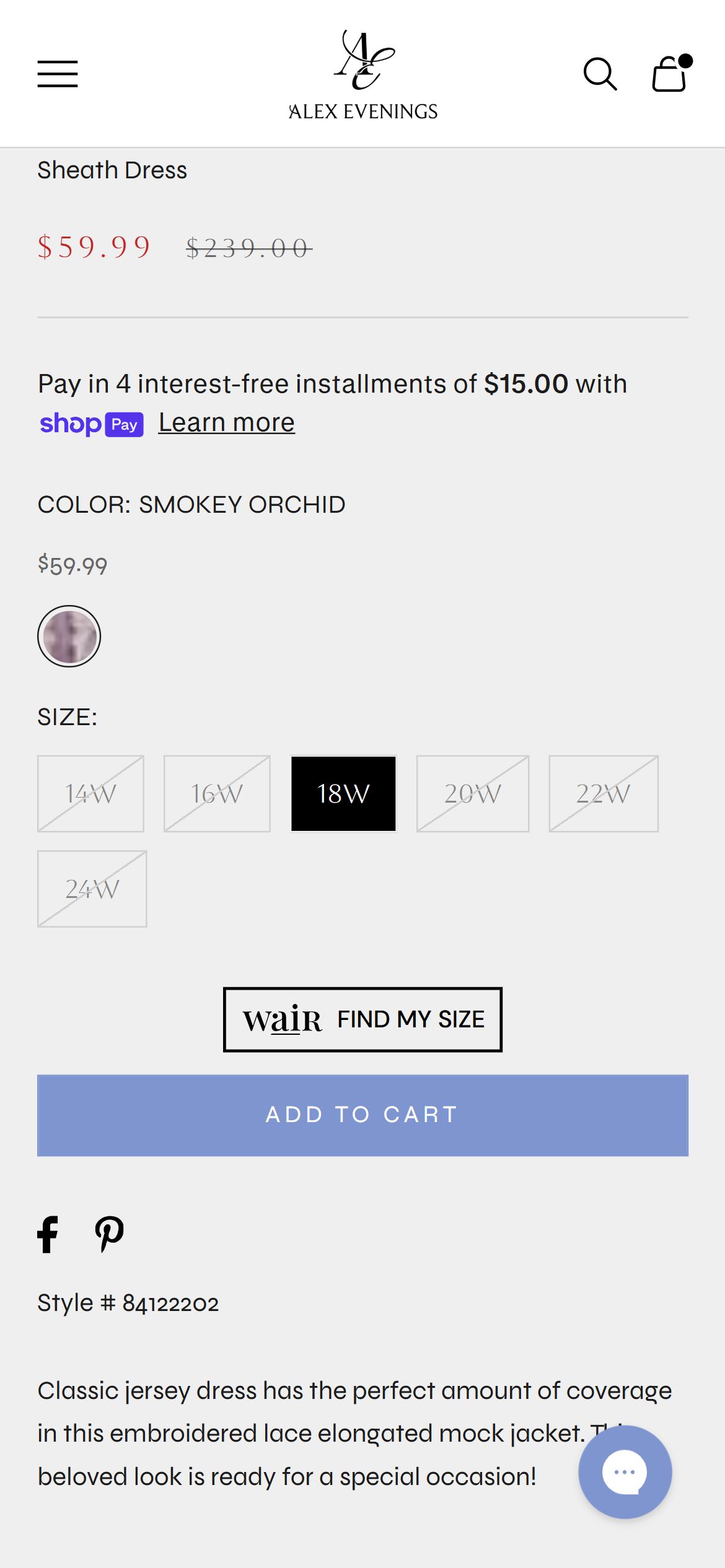
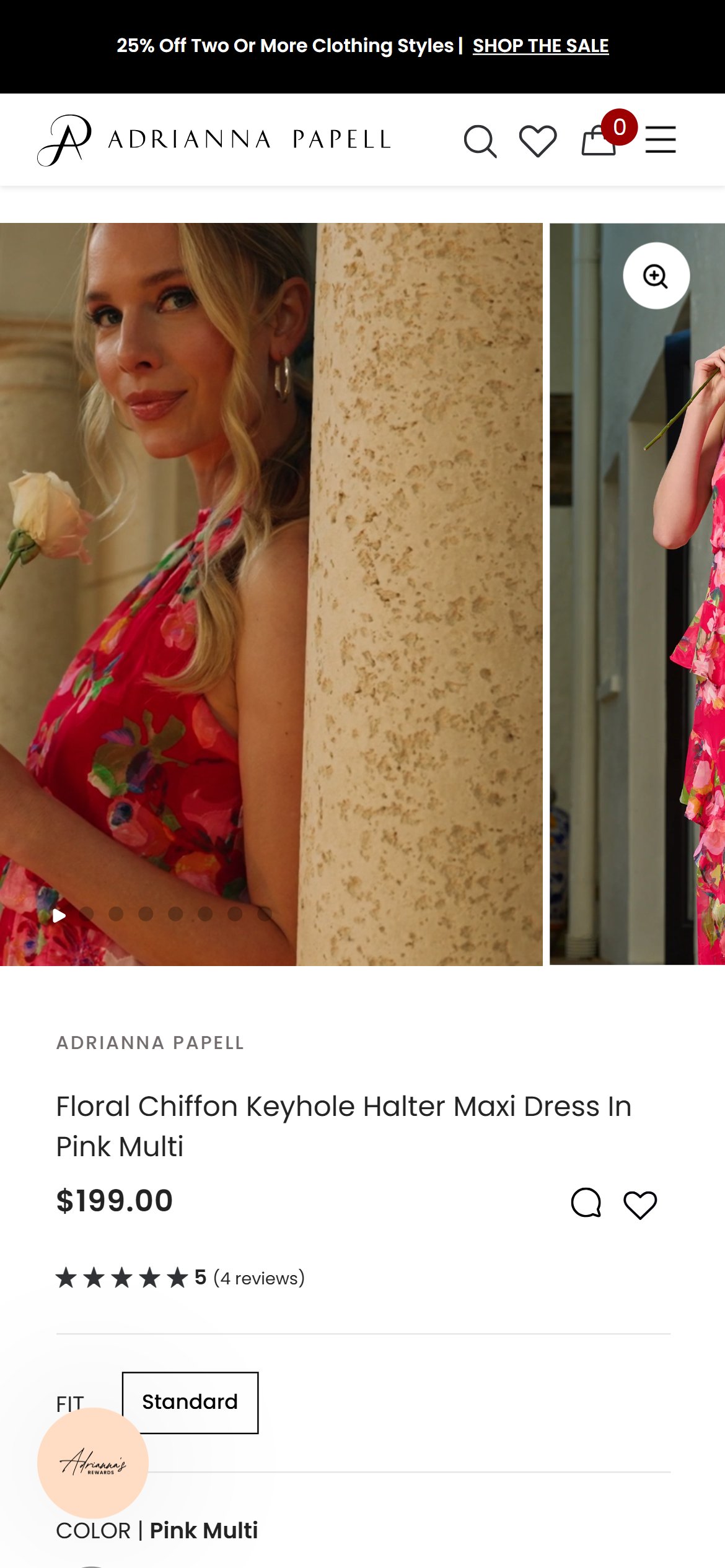
- The title, price, color, and size selectors all sit above the fold on this new-arrival PDP, but no star rating or review count appears anywhere near them.
- Other higher-volume styles on the same site (e.g. the Ava Sleeveless Contour Dress) do show a rating and review count right under the title — the review system exists, it just isn't populated or surfaced consistently across every product.
- For a shopper landing directly on a newer or lower-velocity style, there is no visible social proof to reassure them before they scroll to find reviews further down.
- When a product has no reviews yet, show a lightweight "New Arrival" or brand-rating badge in the same location so the space is never visually empty.
- Prompt recent buyers by email to review newly launched styles so ratings populate faster across the catalog.
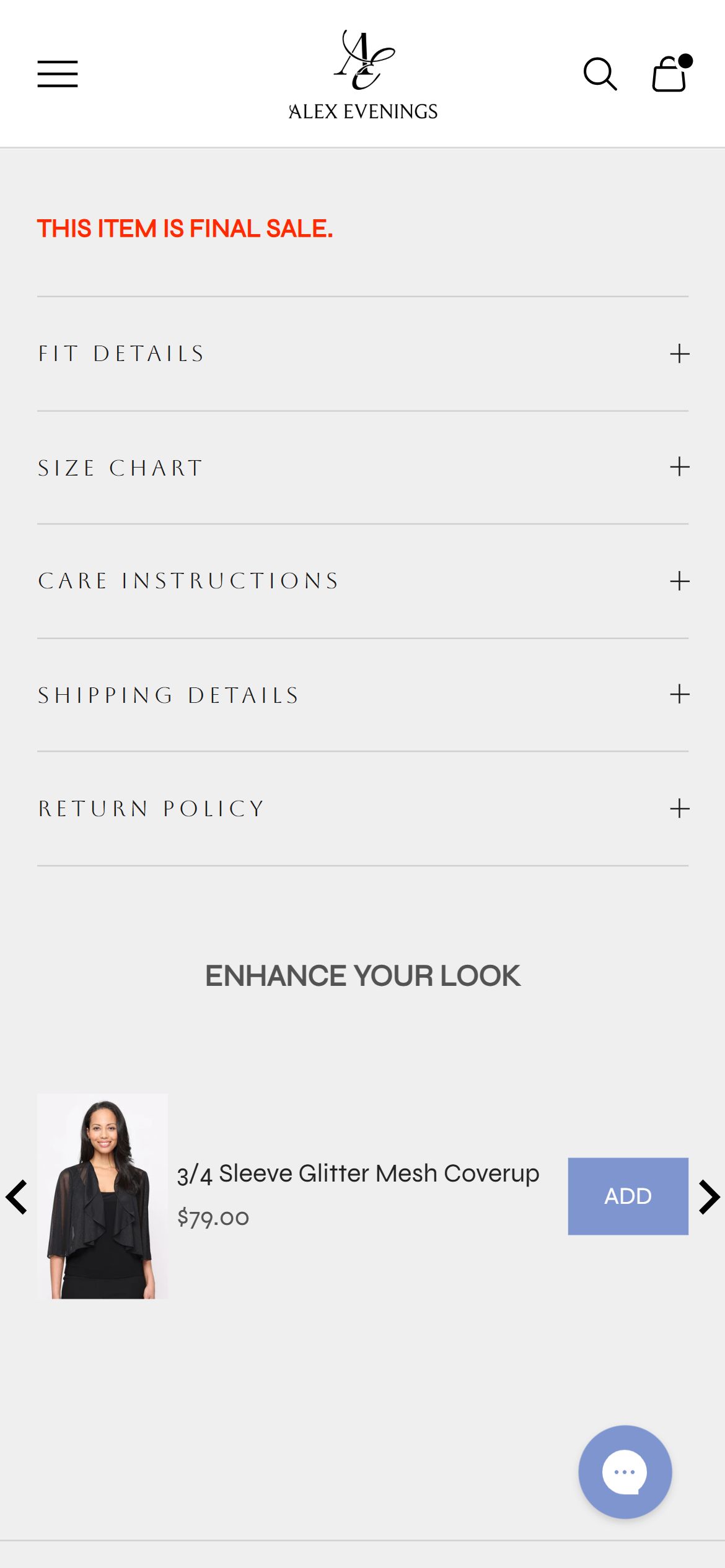
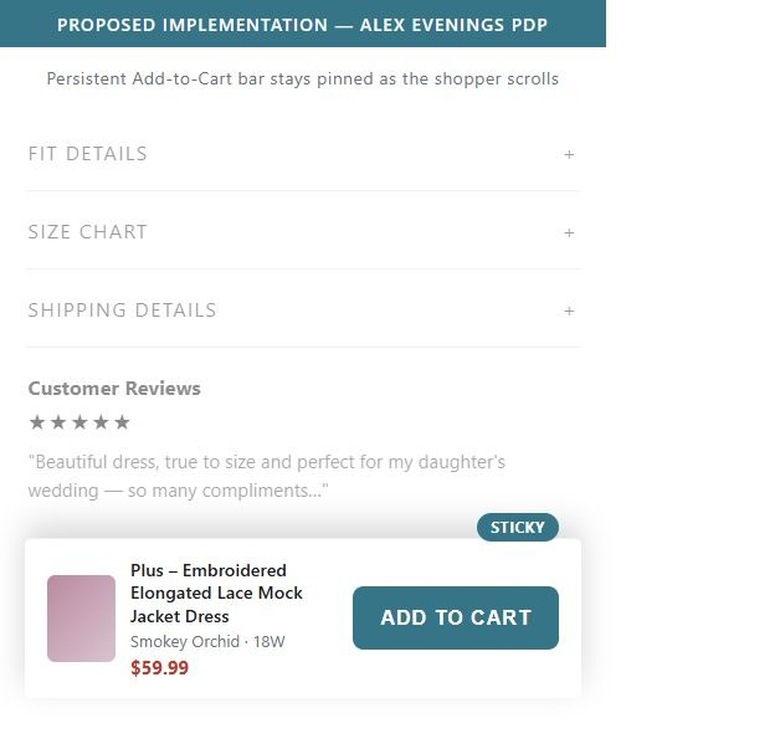
- Once a shopper scrolls past the inline Add to Cart button into the Fit Details, Size Chart, or "Enhance Your Look" cross-sell sections, no fixed bottom bar appears to keep the buy action reachable.
- The PDP is long — accordions, cross-sell, reviews, and a second recommendation carousel all sit below the fold — so the inline button is out of reach for most of the scroll depth.
- Shoppers who decide to buy while reading fit details or reviews have to scroll all the way back up to add the item to cart.
- Add a sticky bottom Add to Cart bar that carries the product name, size/variant, and its $59.99 sale price, appearing once the inline button scrolls out of view.
- Hide the sticky bar again when the shopper scrolls back up to the inline button, so the two never compete for attention.
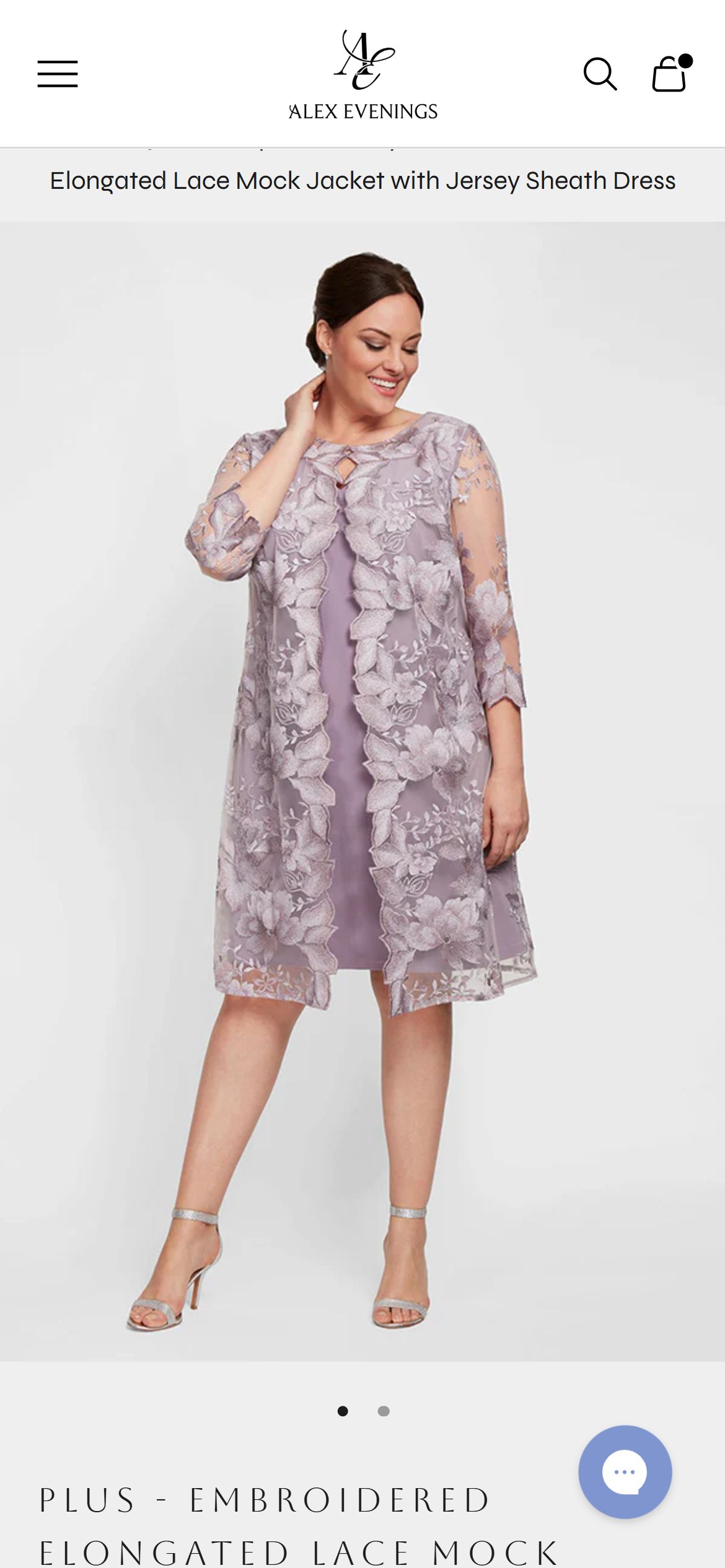
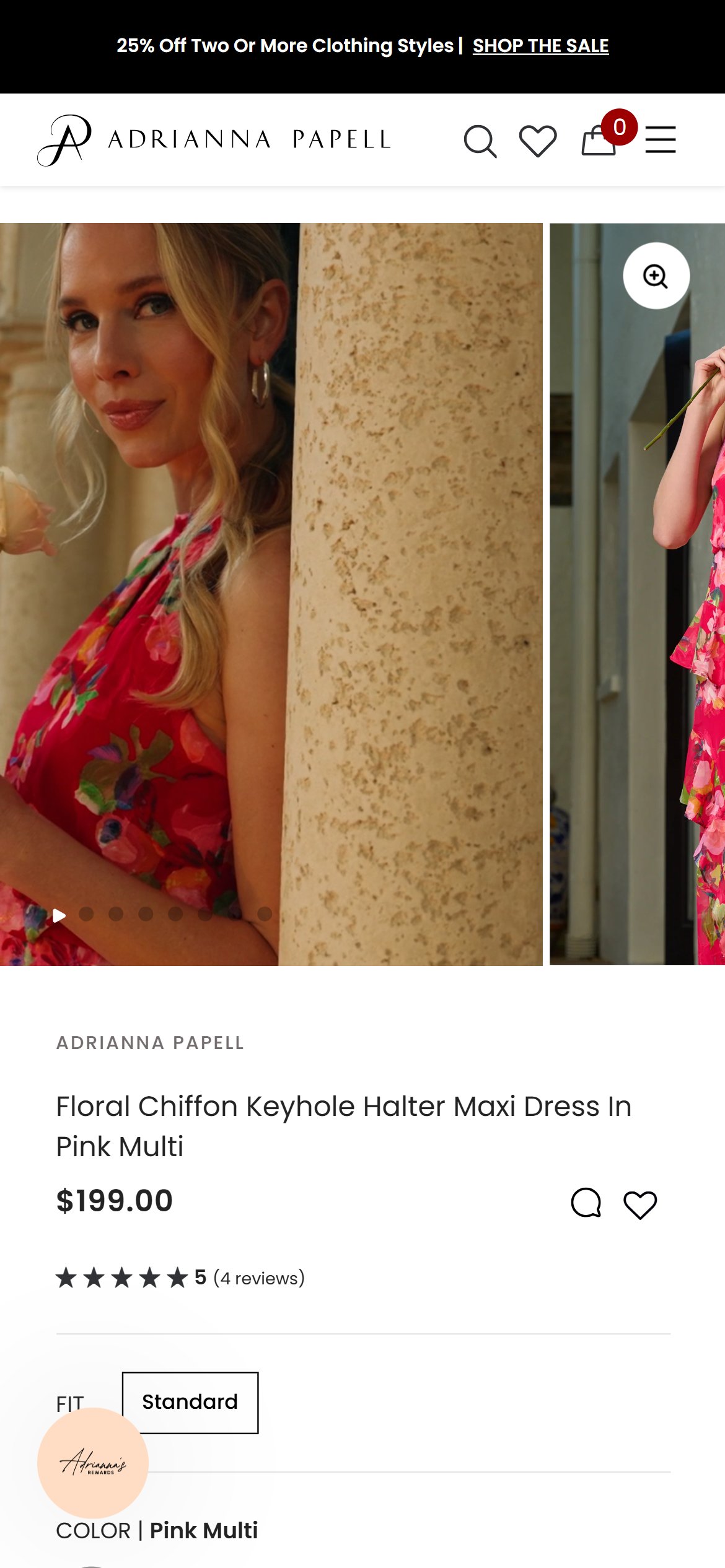
- The image carousel shows only two dots, meaning a shopper can only ever see the front pose and one detail crop of the dress — there is no back view, full-length model shot at a second angle, or fabric close-up.
- For occasion wear where fit, drape, and how a dress moves matter, two static images leave real questions unanswered before checkout.
- Other products in the same catalog carry more images, so this appears to be inconsistent asset coverage rather than a platform limitation.
- Add at least a back view, a full-length styled shot, and a fabric/embellishment close-up to every PDP gallery.
- Audit the catalog for other listings with fewer than three images and prioritize reshoots for the best-selling styles first.
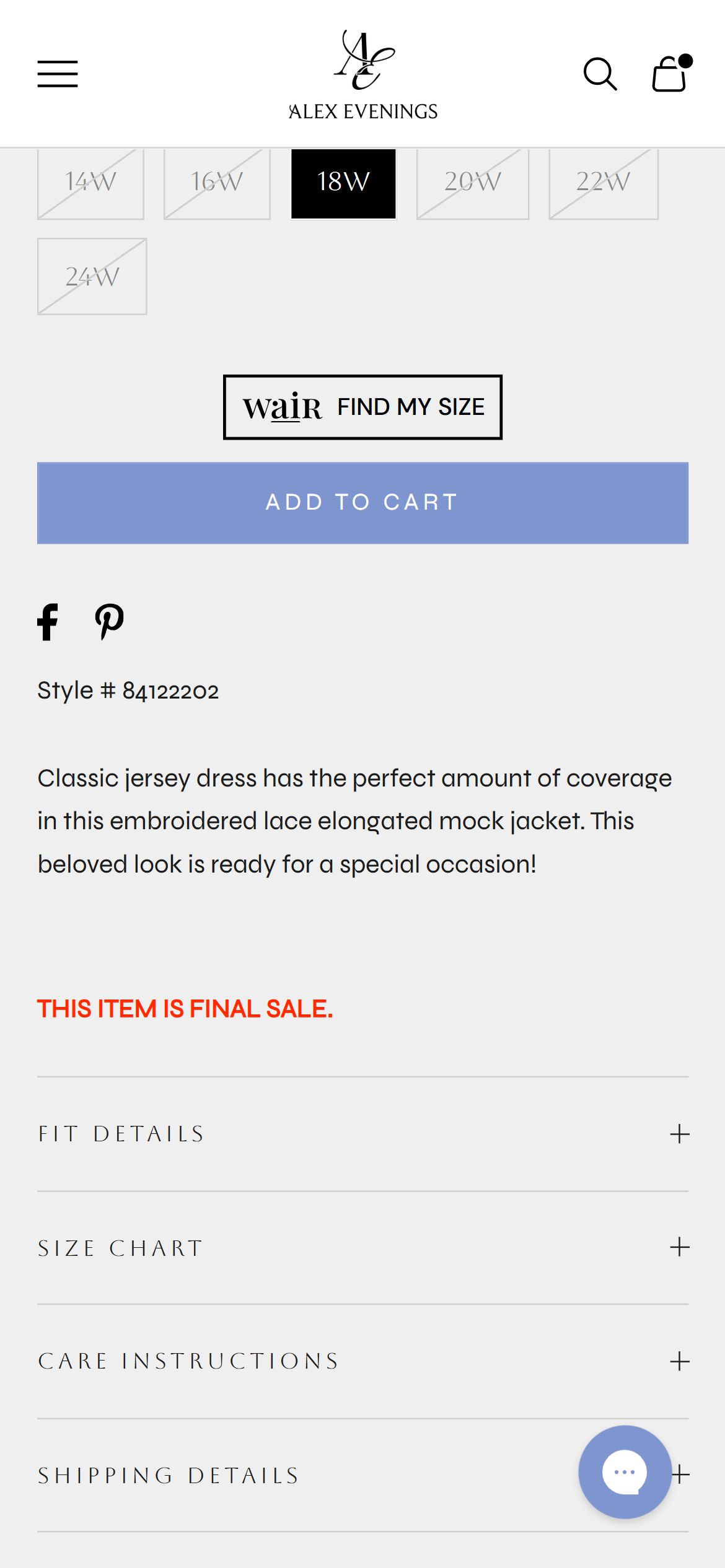
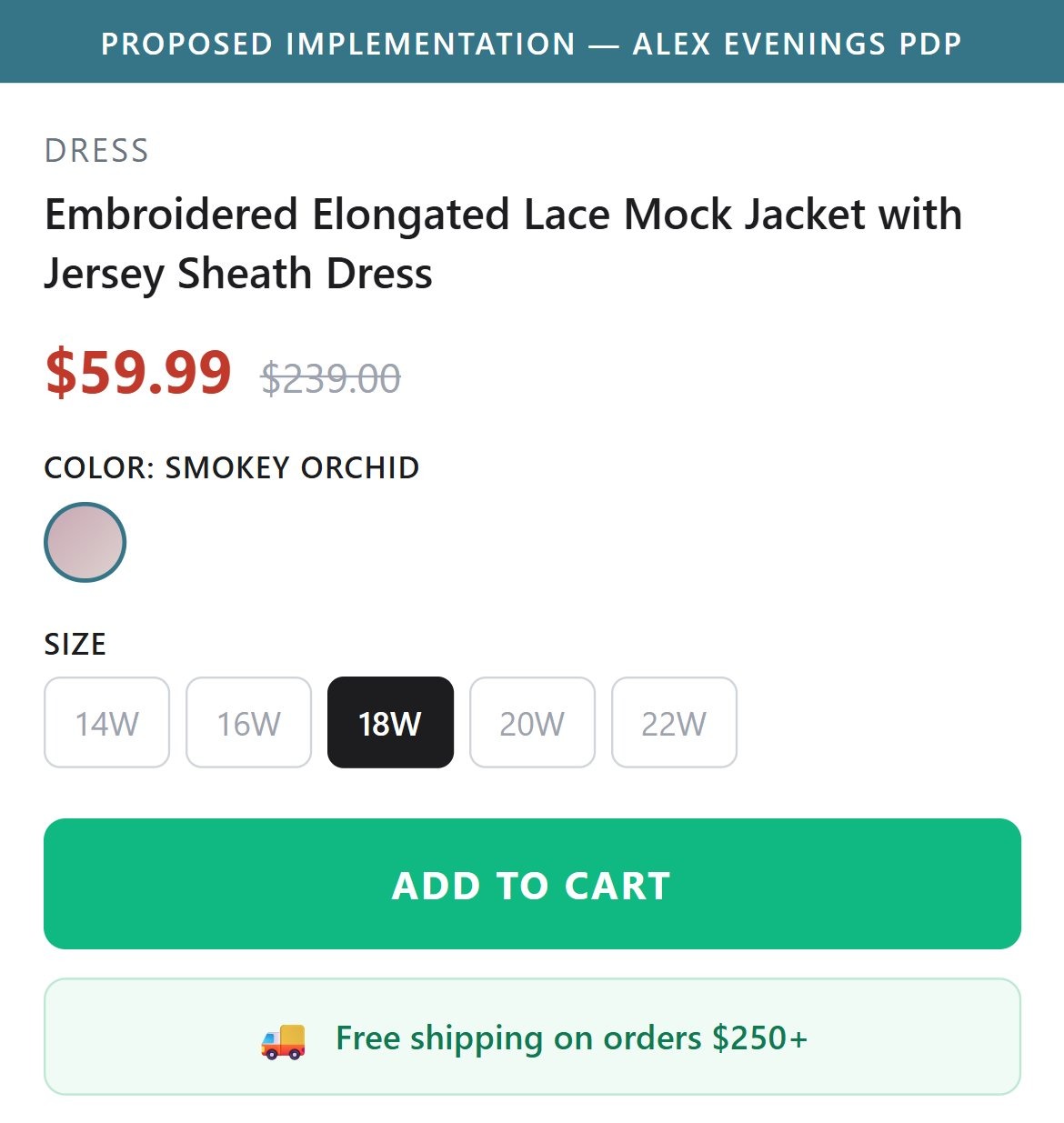
- The free-shipping threshold is only ever mentioned in the thin announcement bar at the very top of the page, roughly a full screen above the price and Add to Cart button.
- By the time a shopper reaches the size selector and buy button, the shipping message has already scrolled out of view and isn't repeated anywhere nearby.
- Since several products individually sit below the shipping threshold, showing how close a shopper is (or that this item alone qualifies) could reduce hesitation right at the decision point.
- Add a short shipping line directly under the Add to Cart button restating the free-shipping threshold.
- Where relevant, note when a single item already qualifies for free shipping on its own.
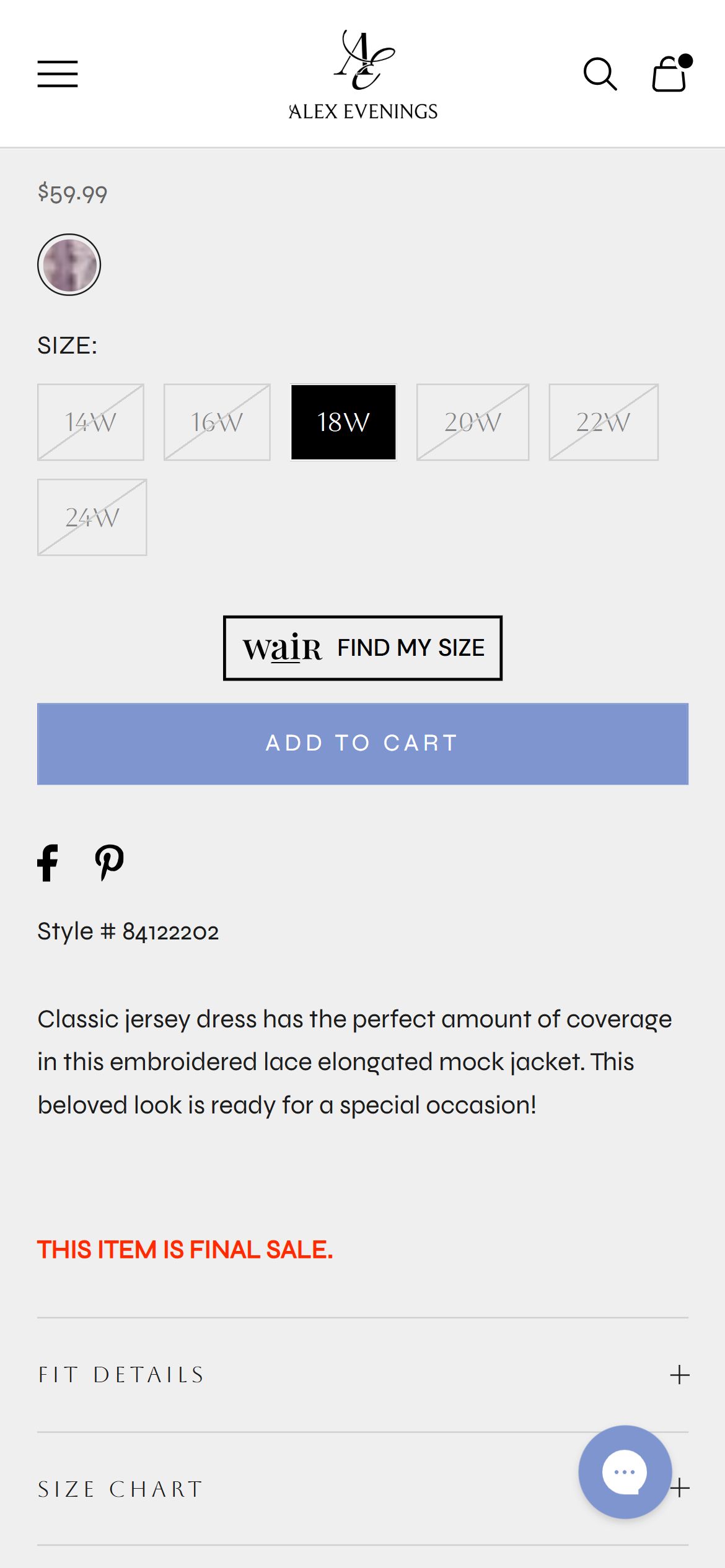
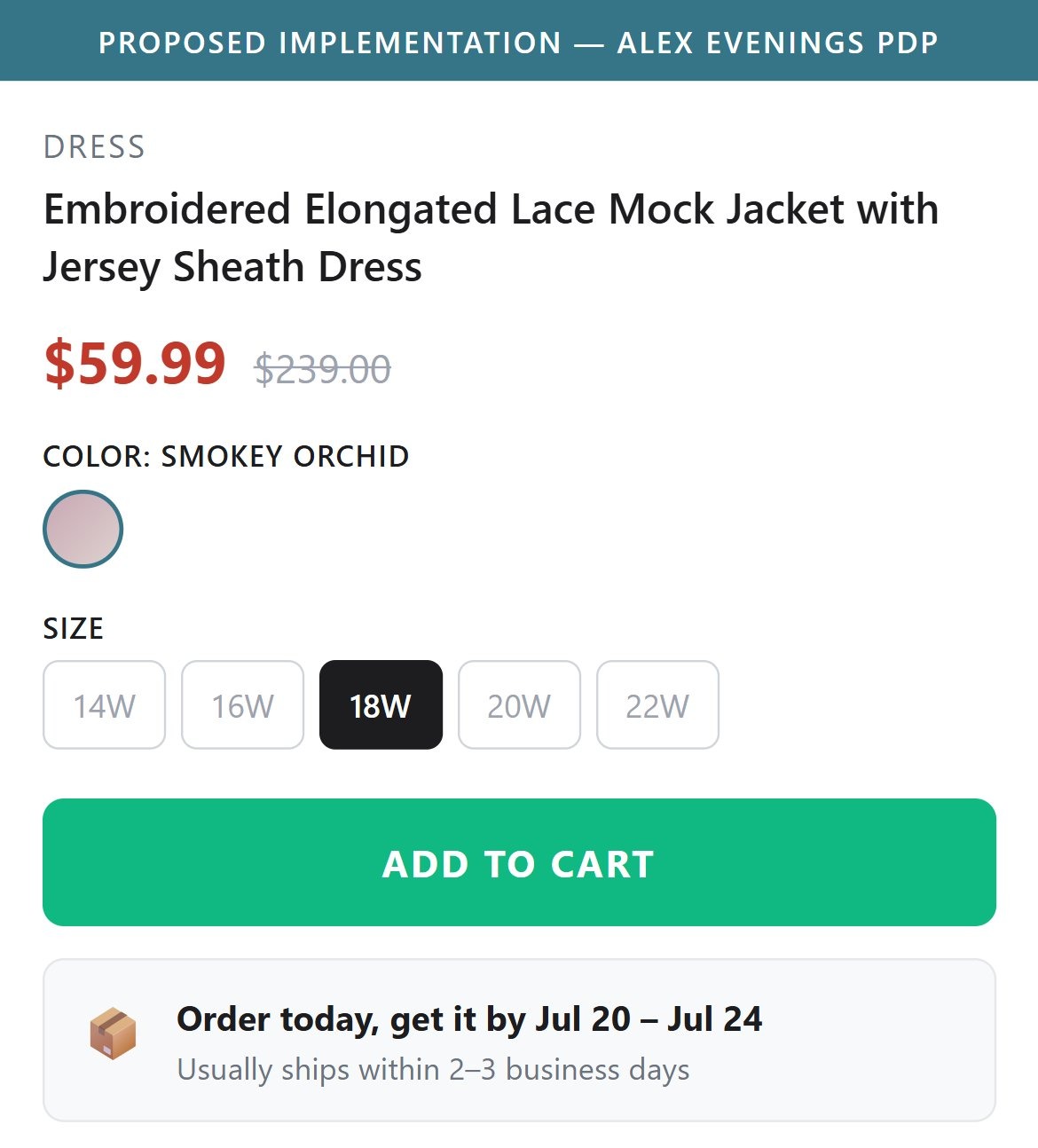
- Nowhere on the PDP — near the Add to Cart button, in the accordions, or in the description — is there a stated delivery window like "ships in 2-3 days" or a zip-code delivery checker.
- Occasion wear is almost always bought against a deadline (a wedding date, an event), so not knowing when a dress will arrive is a real source of hesitation.
- The Shipping Details accordion exists but covers policy language rather than an estimated arrival window for this specific item.
- Add a simple static delivery estimate (e.g. "usually ships within X business days") near the Add to Cart button.
- Consider a zip-code based delivery checker for shoppers buying against a specific event date.
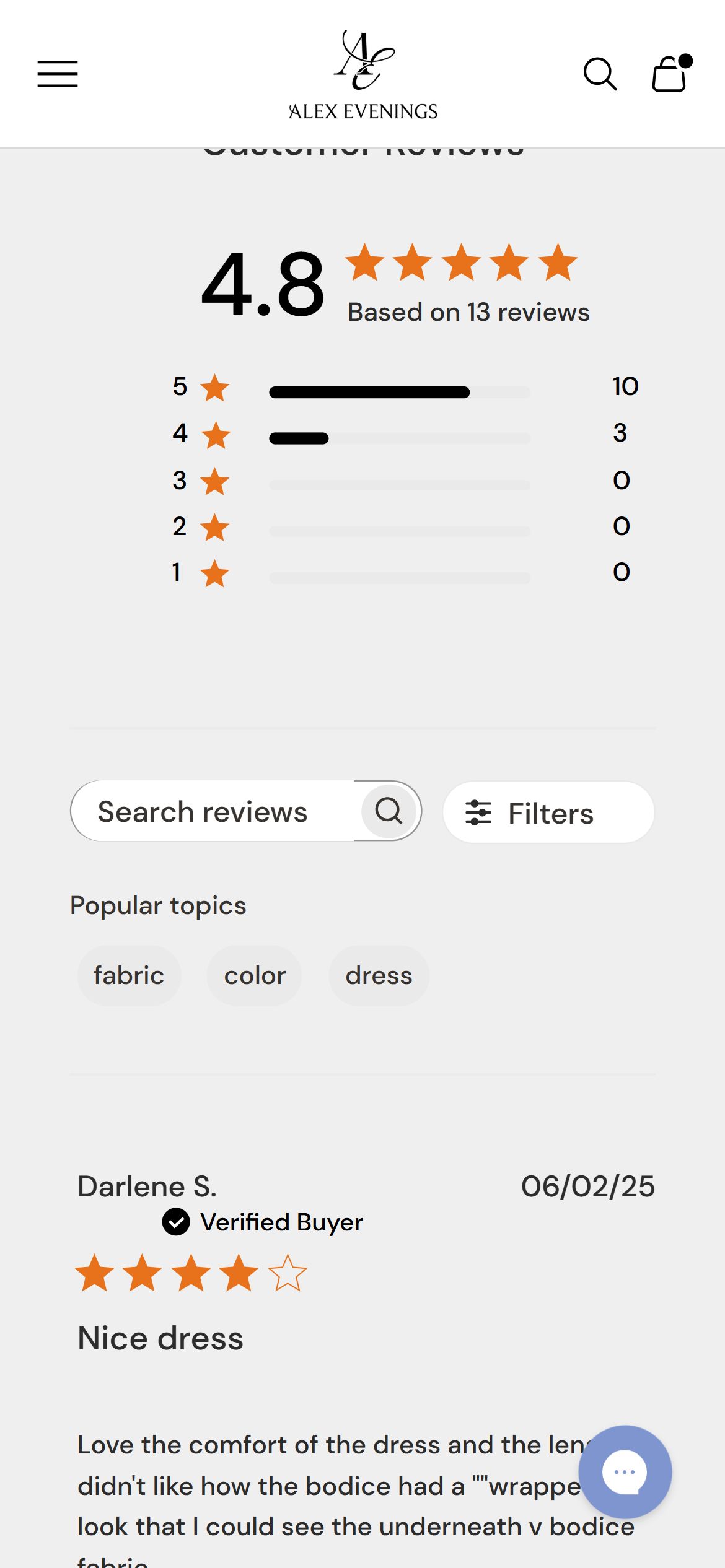
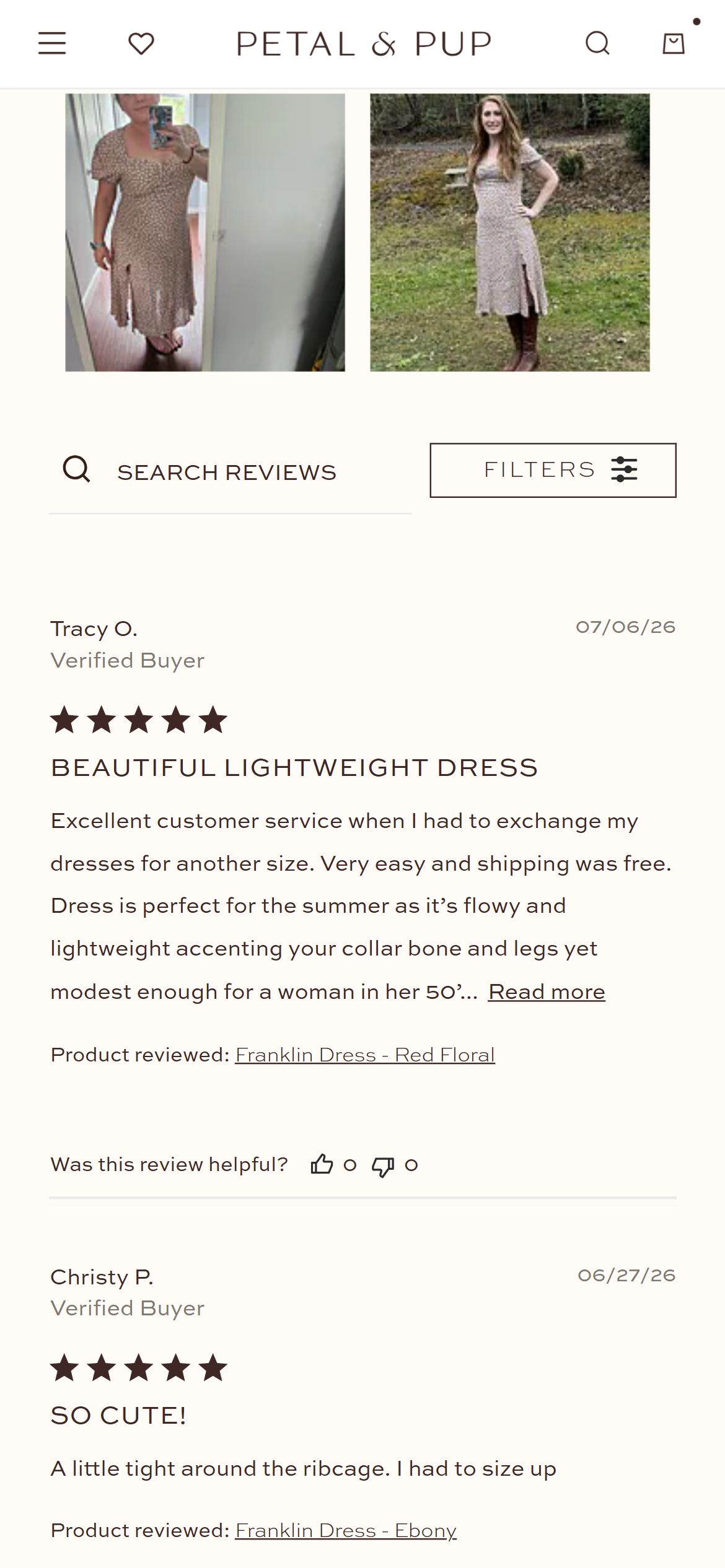
- The reviews widget on the site's best-reviewed dress includes a media filter control, but toggling it to "with media" returns zero matching reviews — every review is text-only.
- For occasion wear, buyers care most about how a dress actually fits and drapes on a real body, which is exactly what photo reviews communicate and star ratings alone cannot.
- The infrastructure for photo reviews is already installed; the gap is that no customer photos have ever been collected or encouraged.
- Prompt customers post-delivery with a review request that explicitly invites a photo upload, ideally with a small incentive.
- Feature any existing photo reviews (from other sister-brand storefronts or archives) prominently once collected, to seed the pattern.
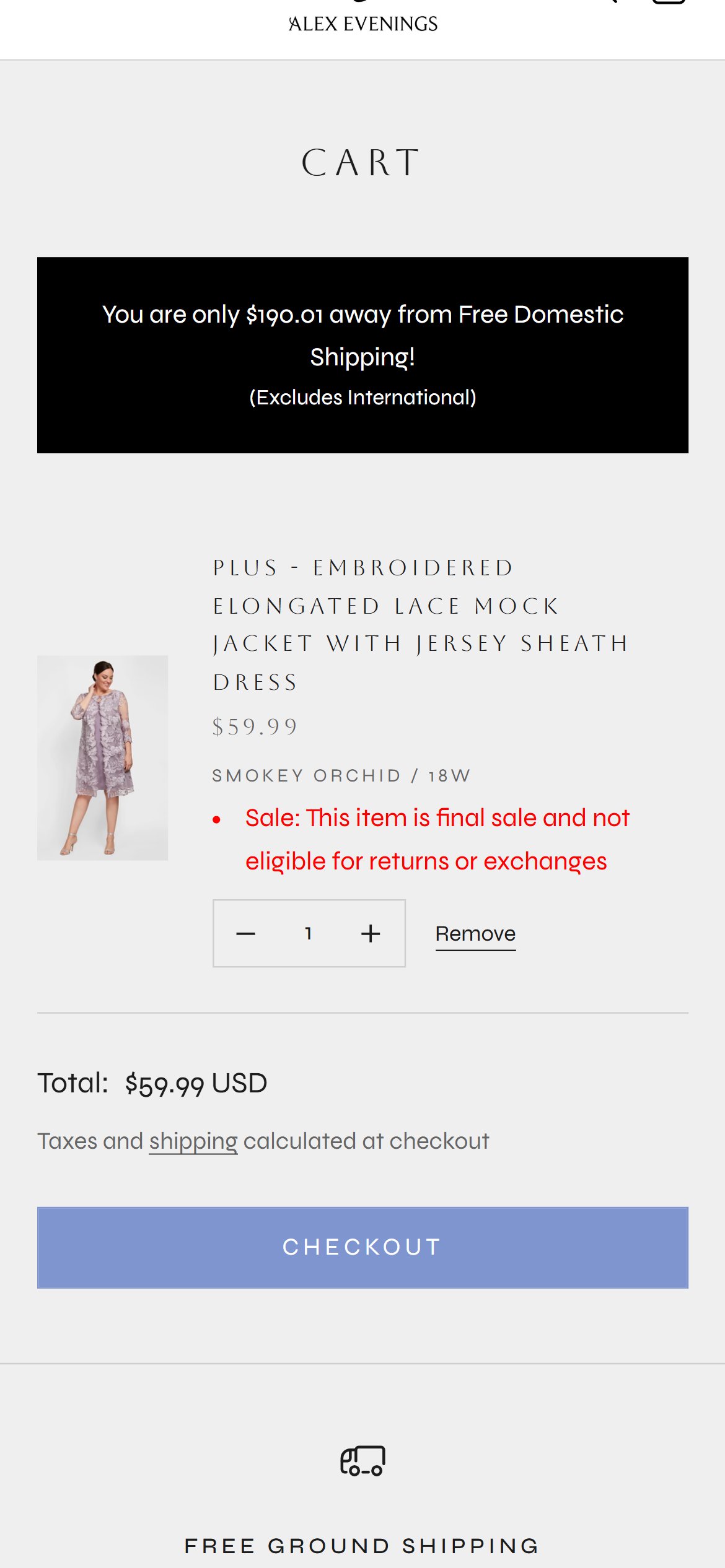
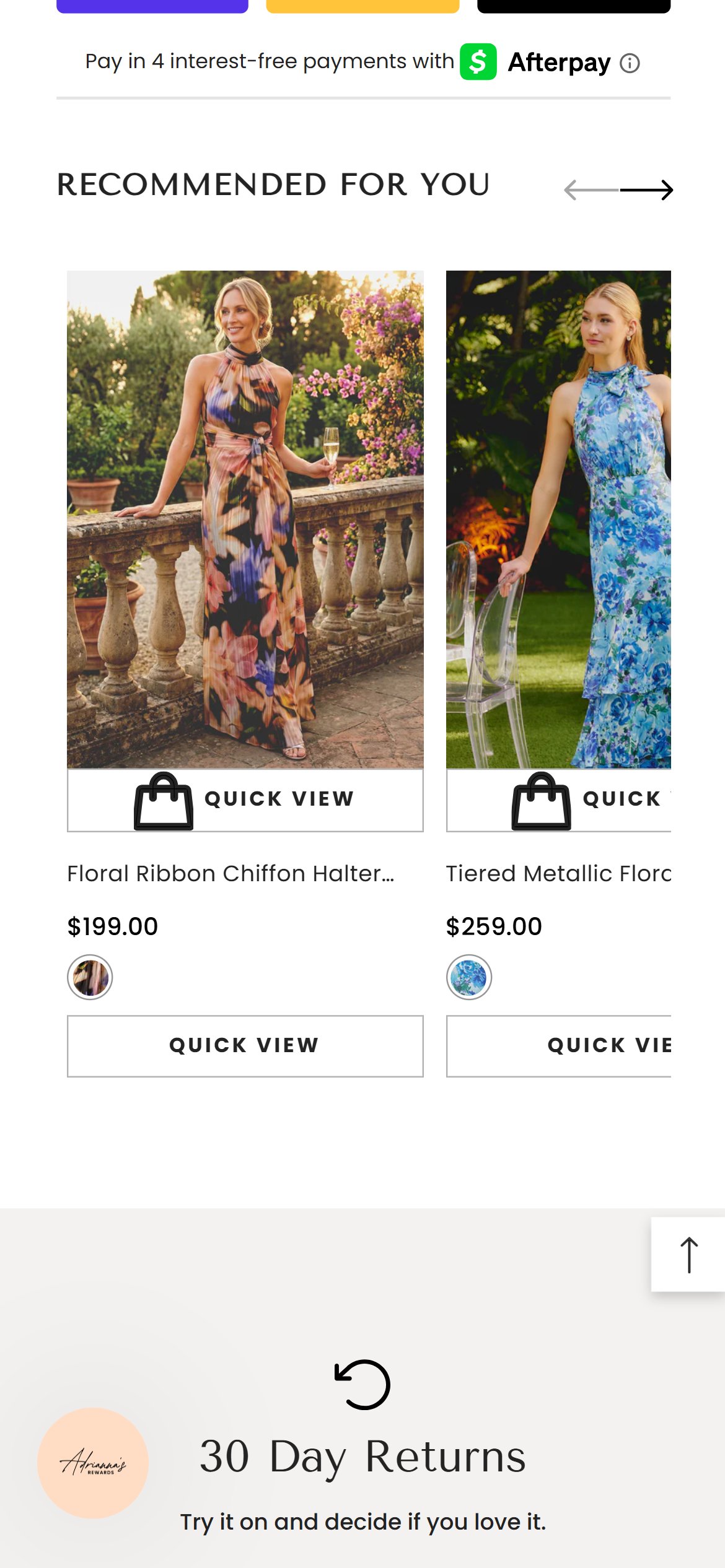
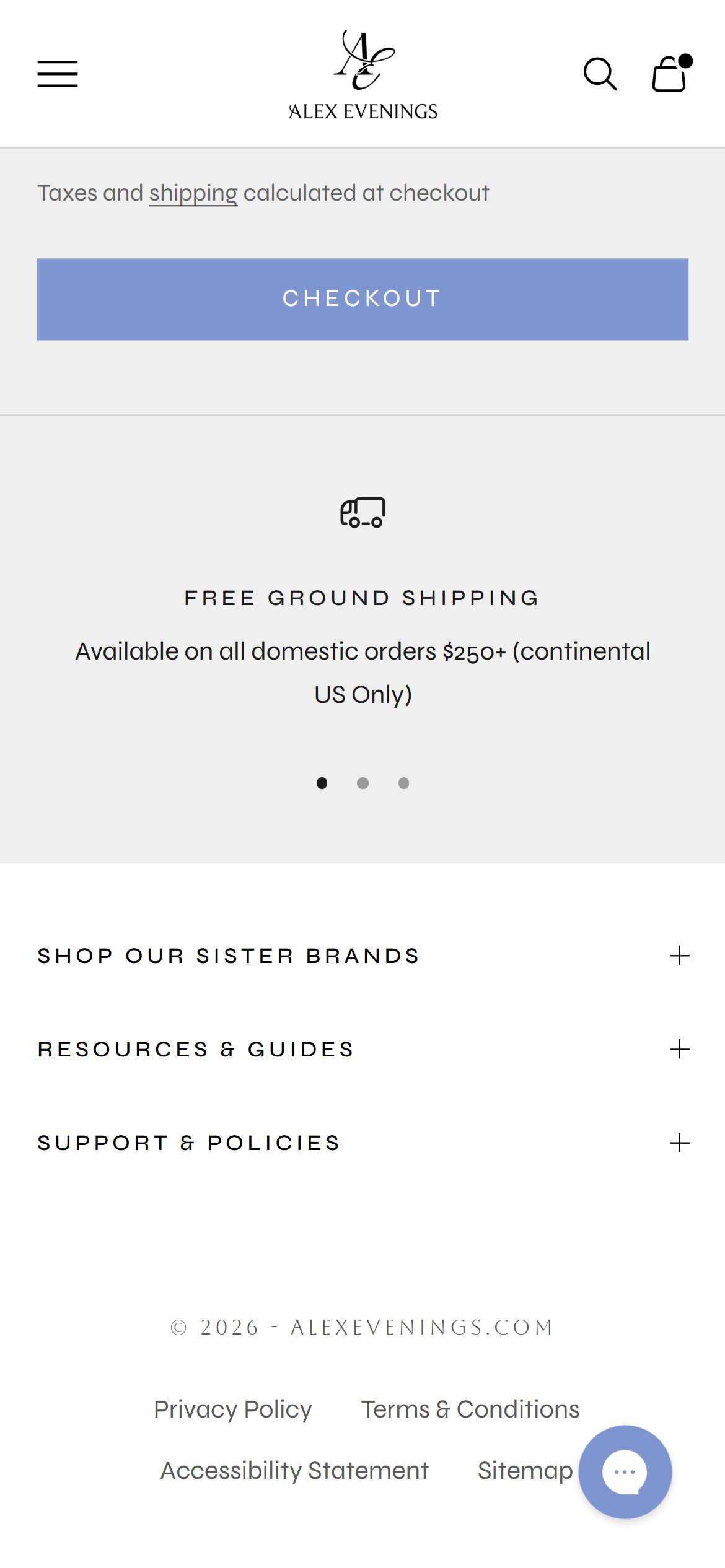
- With an item in cart, the page shows only the line item, the free-shipping progress message, the total, and the Checkout button — the page ends and moves straight into the footer.
- There is no "You may also like", "Complete the Look", or matching-accessory prompt, even though the PDP itself has a working cross-sell carousel just one step earlier in the funnel.
- This is a missed moment to add a shawl, jacket, or accessory to complement the occasion dress already in the cart.
- Reuse the existing PDP "Enhance Your Look" cross-sell logic inside the cart page, shown below the line items.
- Prioritize complementary categories (jackets, jewelry, shoes) over more dresses, since the shopper has already chosen their main piece.
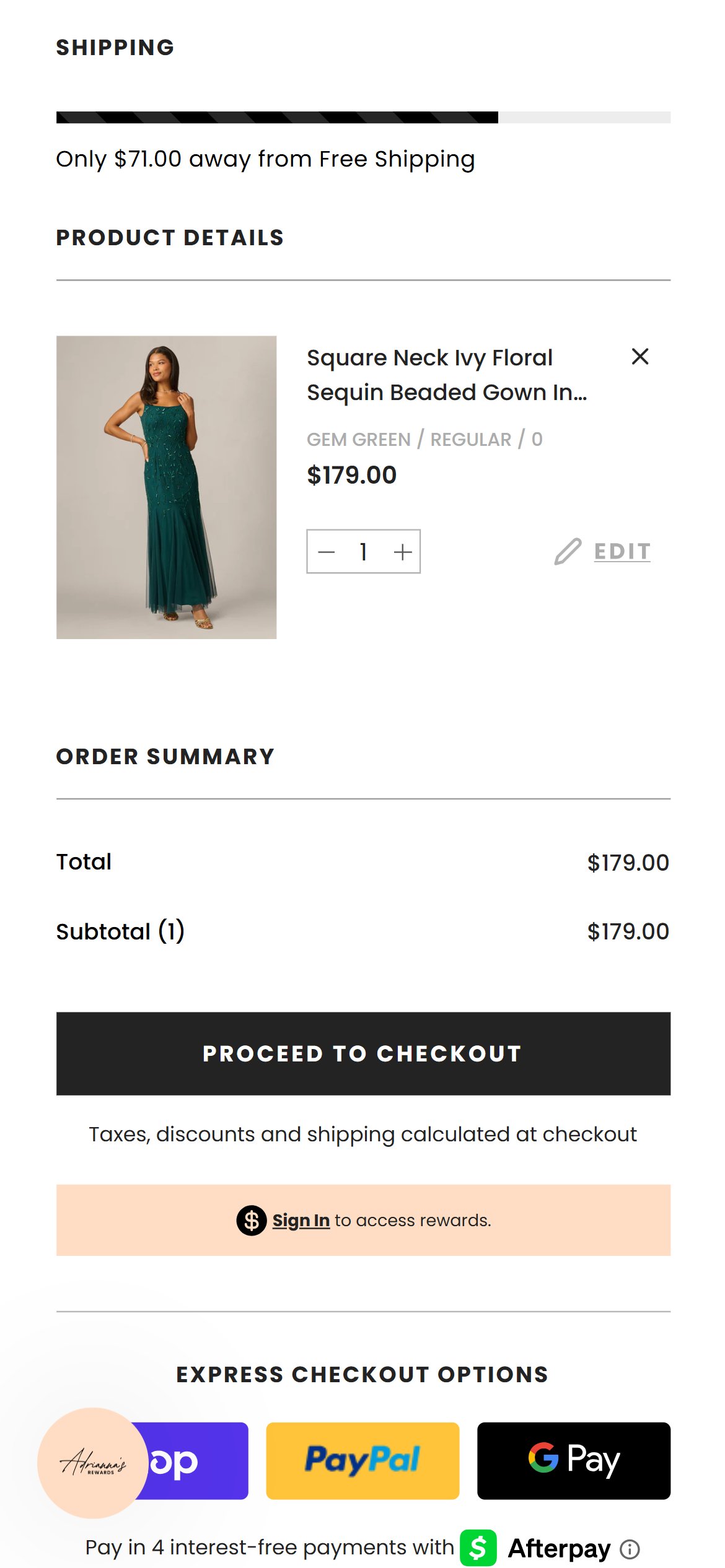
- The Checkout button sits alone — no payment-method icons, secure-checkout lock badge, or guarantee text appears anywhere around it.
- This is the last screen before a shopper hands over payment details, which is exactly where trust reinforcement matters most.
- The rest of the site (PDP accordions, footer policies) does communicate return and security information, but none of it surfaces at this final decision point.
- Add a small row of accepted payment icons and a "secure checkout" lock badge directly above or below the Checkout button.
- Consider a one-line guarantee reminder (e.g. easy returns) right next to the button to reduce last-minute hesitation.
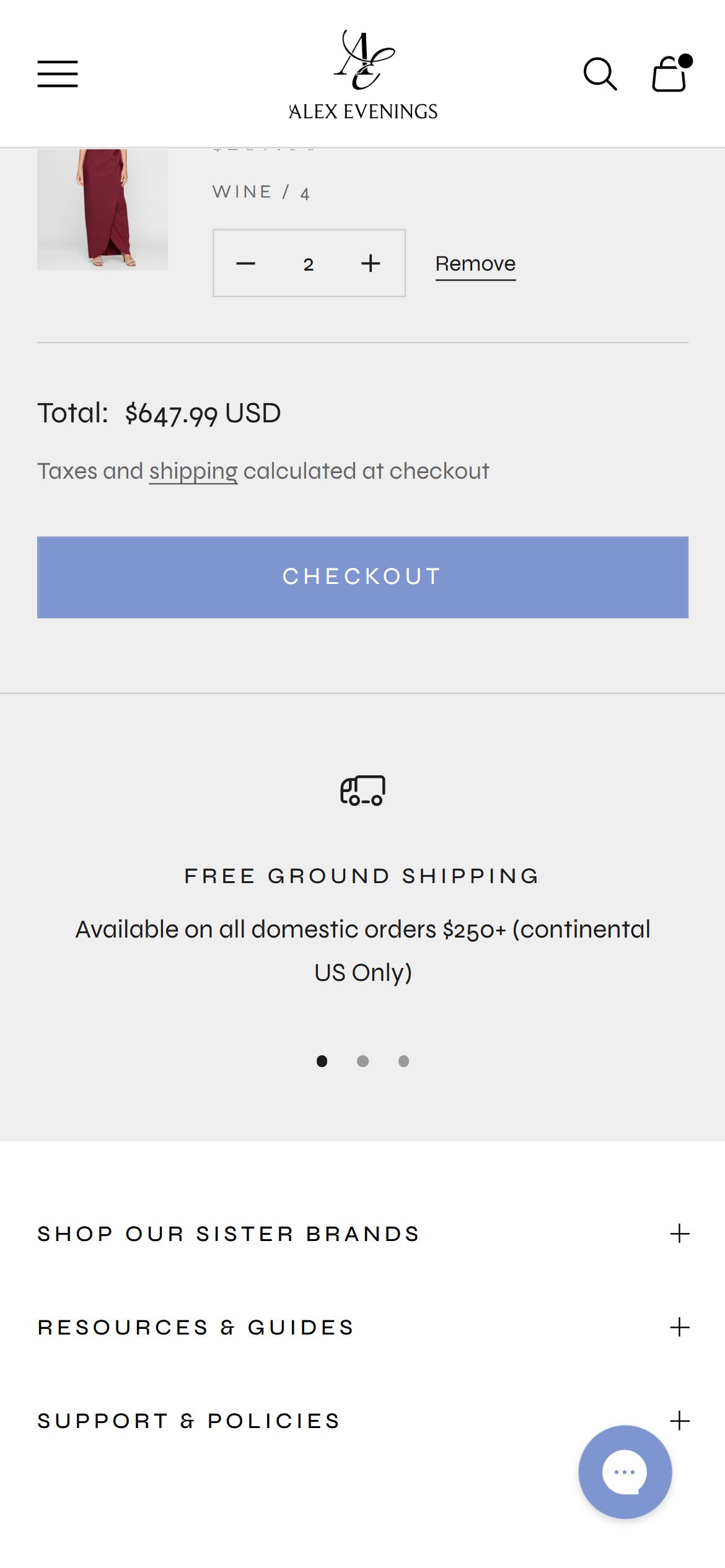
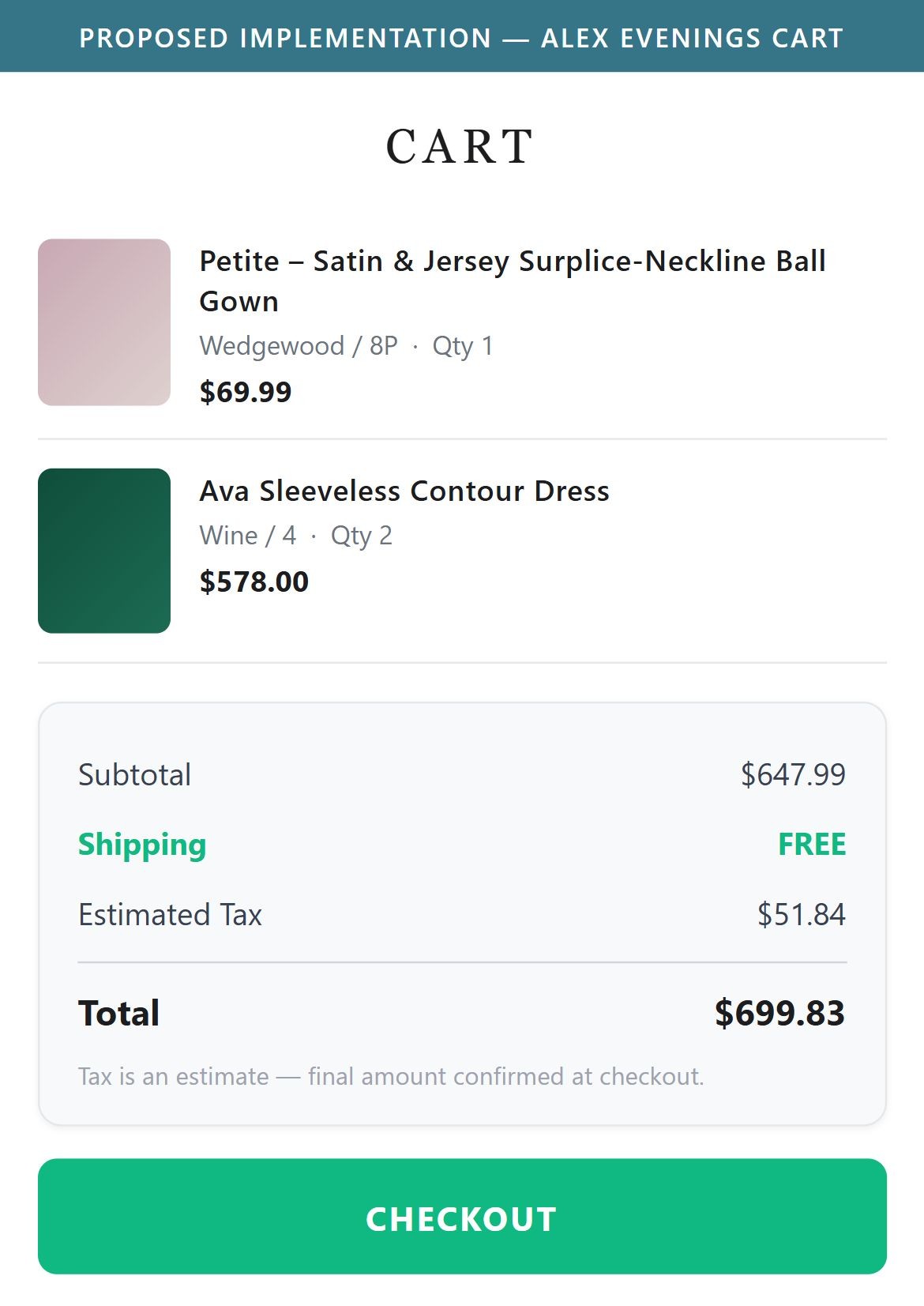
- The cart shows a single "Total" line followed by "Taxes and shipping calculated at checkout" — there is no subtotal, shipping estimate, or tax line broken out before the shopper clicks Checkout.
- Shoppers who are budgeting for an event purchase have to leave the cart and enter checkout just to see what shipping or tax will add to the price.
- A clearer cost breakdown at this stage helps set expectations and reduces the chance of abandonment once real costs appear on the next screen.
- Add a standard order summary block showing subtotal, an estimated shipping line (or "Free" when the threshold is met), and a placeholder for tax.
- Keep the existing "calculated at checkout" note only for the parts that genuinely can't be estimated pre-checkout, such as exact tax by address.
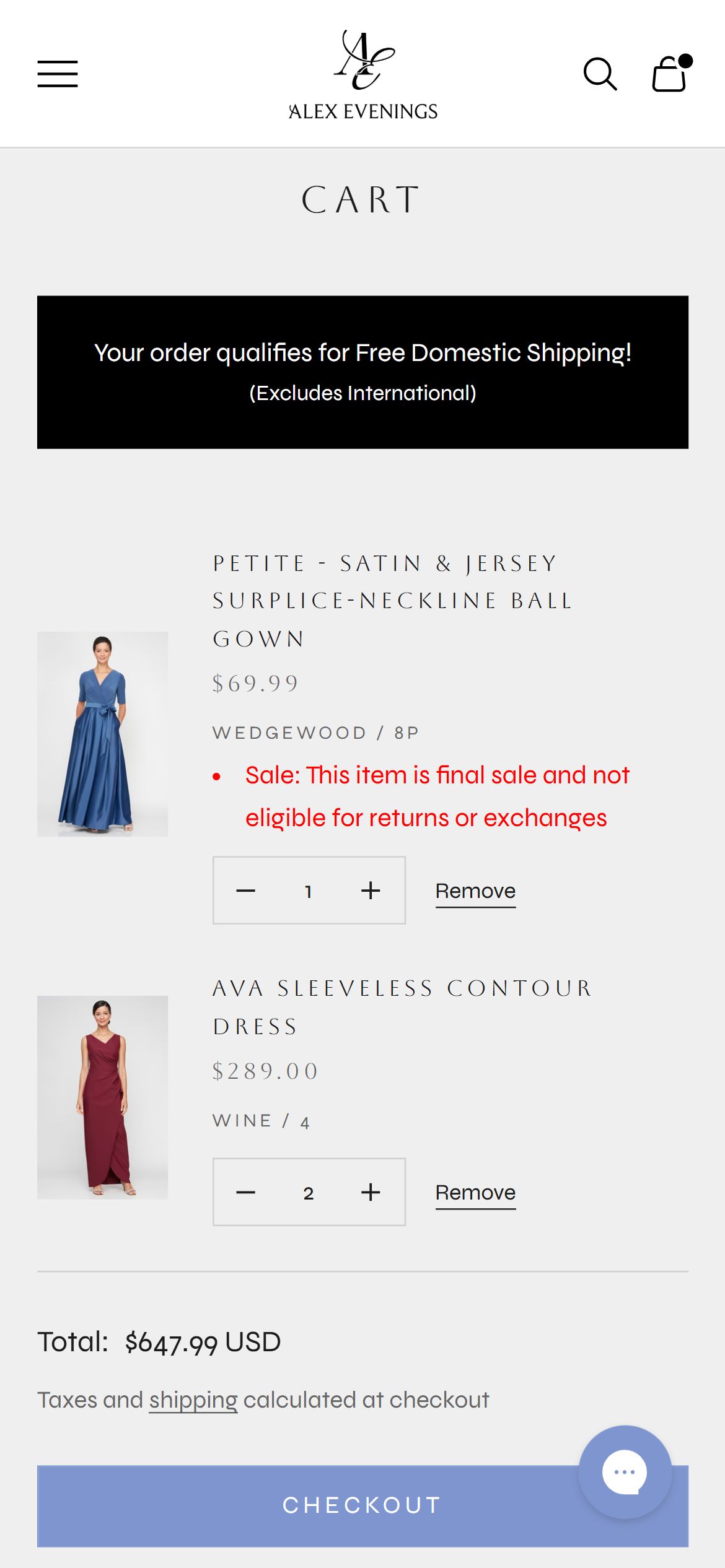
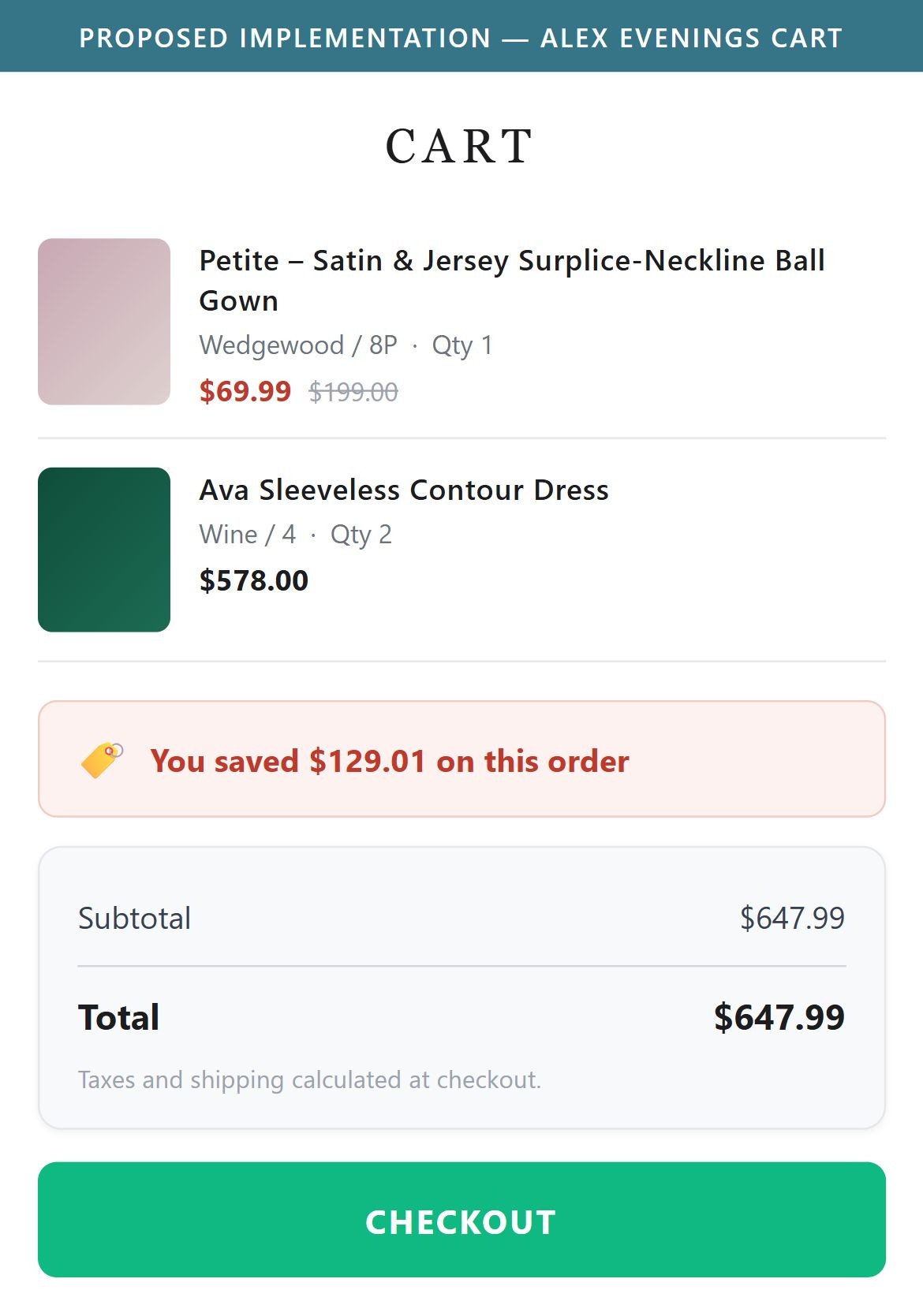
- Even though the PDP clearly shows a strikethrough original price and a sale price, the cart only carries the discounted price forward — there is no "you saved $X" line anywhere in the summary.
- Given how many styles across the site are currently marked down, reinforcing the savings at the moment of checkout would reinforce the value of the purchase.
- This is a simple summary-line addition rather than a new feature, since the discount math is already being applied to the line item price.
- Add a "Total savings" line in the cart summary showing the aggregate difference between original and sale prices for items in the cart.
- Reuse the same red sale-price styling from the PDP so the savings message feels consistent with the rest of the shopping experience.
App Ecosystem
What's installed vs what's missing from best-in-class Fashion & Apparel stores
Present (12)
Missing (3)
App Stack Assessment
Alex Evenings has a capable app stack — Yotpo for reviews, Gorgias for chat, WAIR for sizing, Rebuy for recommendations, and Tolstoy for shoppable video are all live and working. The bigger opportunity is re-activating what's already been paid for: the Rivo loyalty program and the theme's native wishlist integration both ship with the site but are configured off, and Attentive is installed without an active capture unit to grow the list it was bought to build.
Confidential — Prepared for Alex Evenings by Growisto | July 2026